
You can also designate record classes that you use on a regular basis as “favorites” in the IG Portal, so that you can quickly and easily find them. To designate a “favorite”, you click on the star to the right of the Record Class Name.

Once you have designated your favorites, you can view a list of just your favorites, by clicking on the star icon on the upper left hand side of the screen.
You can also designate record types and data owners as favorites, the option is available for the Record Type View and Organization View snapshot correspondingly. As a result you will see record types/data owners with the lists of their record class mappings in the "favorites".
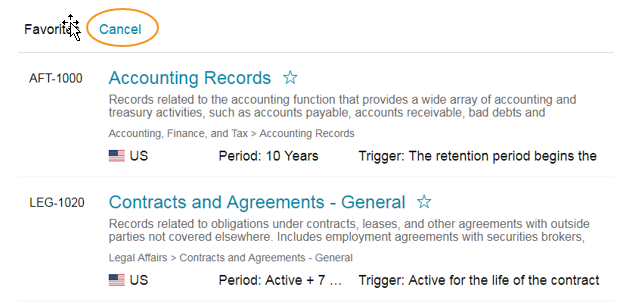
Favorites List
This will pull up your list of favorites on the left hand side of the screen.
To view the details on any of your favorites, you click on the record class name, as described above. To exit your favorites list, you can click on the “Cancel” link above and view the entire retention schedule.
Other Portal Content
In addition to the Retention Schedule, the IG Portal can contain other information governance materials, including:
Records Retention Policy: Text of the company’s existing records retention or records management policy.
FAQ: Frequently asked questions and responses about the records retention schedule or the records management program as a whole.
Glossary: Definitions of commonly used records management and information governance terms.
Search: Keyword search functionality for the IG Portal.

Comments
0 comments
Article is closed for comments.