
The Information Governance (IG) Portal is a web-based tool that Company employees can use to access our corporate retention schedule, which is the policy that governs how long records are retained by the Company and when they should be destroyed. The IG Portal provides a hyperlinked interface that allows employees to easily browse the retention schedule, and search for specific key words to identify their records.
To access the IG Portal, follow the link provided on your corporate intranet site. This will bring you to the main landing page for the retention schedule, where you will see a list of the business functions available for review.
To view the record classes within each business function click on the Business Function Name.
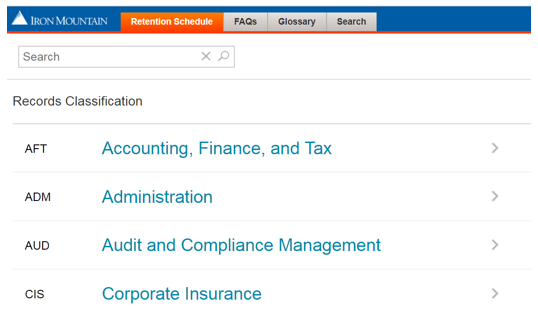
Record Classification
This will bring up a list of the record classes, and summary level information, within the overall business function on the left hand side of the screen. To view additional information on a record class, click on the record class name.
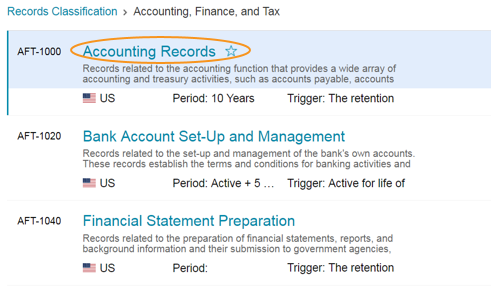
Record Class Detail
Once you have clicked on a record class, the related details will show up on the right hand side of the screen.
To view the “Retention” details, you can click on the “Retention” link along the top of the screen, or you can scroll down below the record class details.
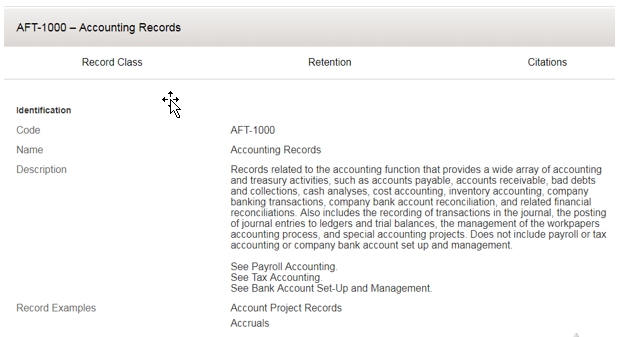
Retention Information
This will pull up the retention information show earlier, which defines whether this is a time based or event based retention period and the overall period.
Citation Information (if applicable)
You can also view associated citations, if you choose. You can view those by clicking “Citations” across the top of the record class details page, or by scrolling down below the retention information.
You can click on any of the citation details if you would like to review more details.
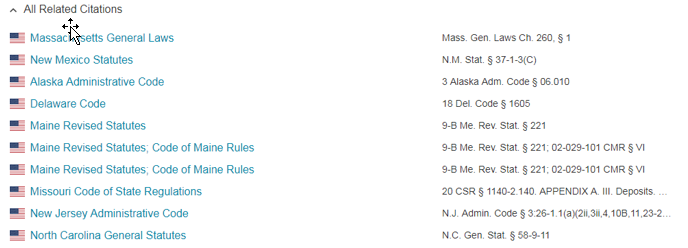
Comments
0 comments
Article is closed for comments.