
Policy Center provides a searchable online knowledge base where you can find help topics that describe how to manage Retention Schedule and use the IG portal. To access the help articles, follow the steps given below.
First of all, you need to be logged in to Policy Center (via IMConnect or Client IDP SSO).
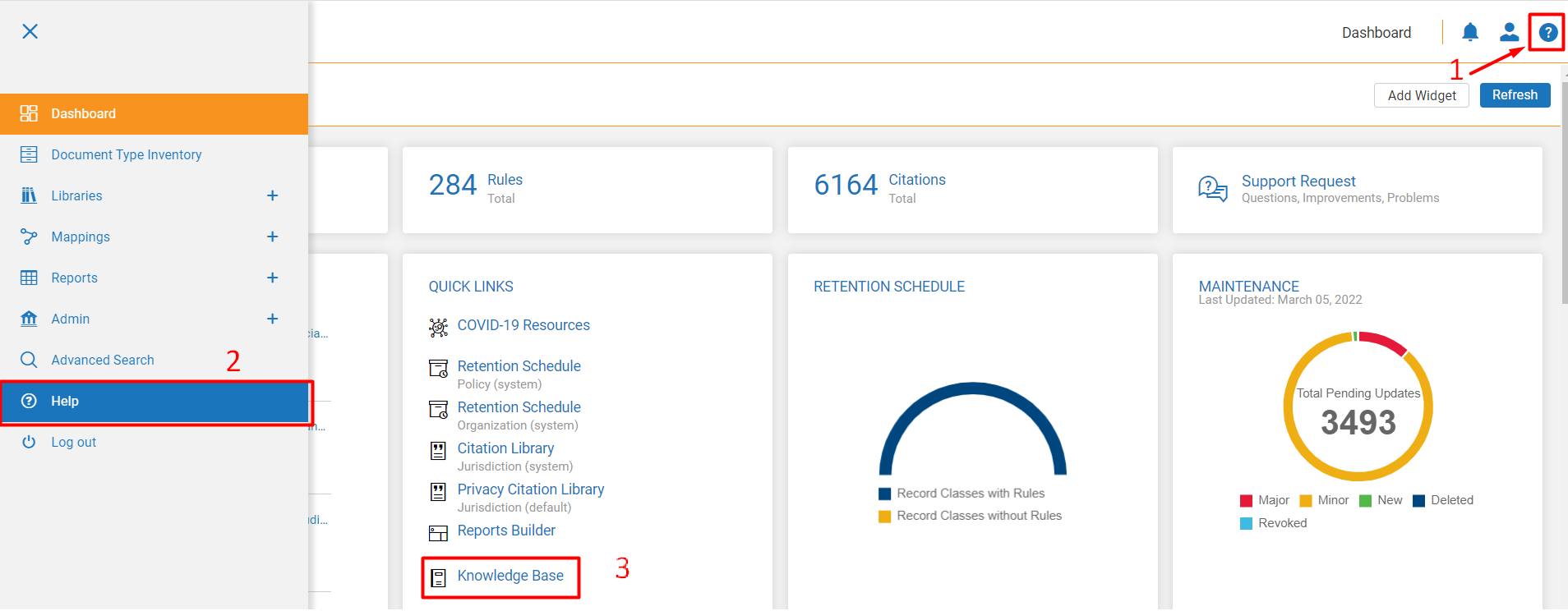
1. On the Dashboard page, you can click on:
1) the '?' sign at the top right of the screen;
2) go to Hamburger Menu and find the Help option (on all pages);
3) in the Quick Links widget, choose Knowledge Base.
2. On the IG Portal page, find the Help link* found next to Log Out.

*If display of the link is not disabled by Site Admin.
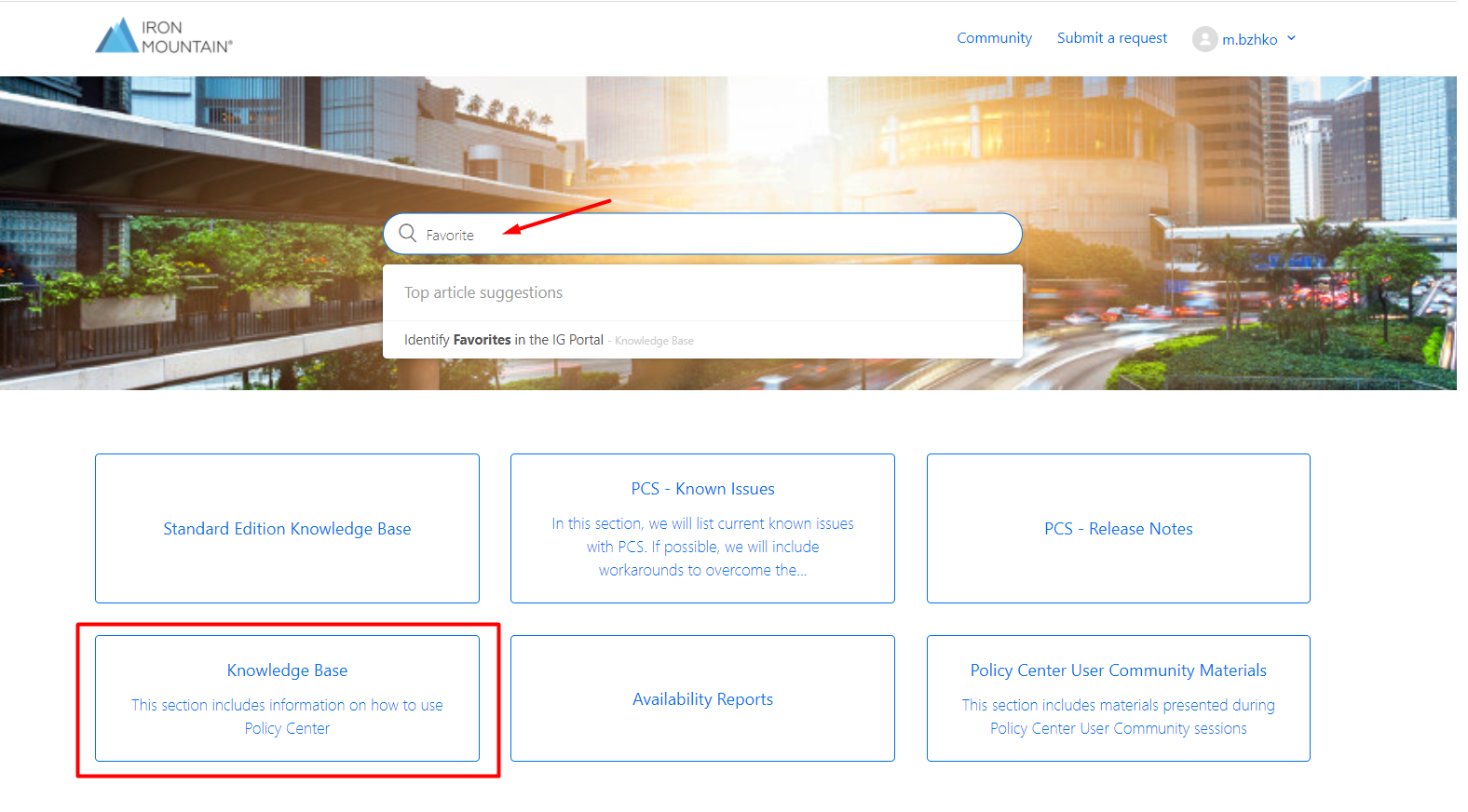
3. Once you follow either of the ways, a new tab with Iron Mountain Support page will be opened. Navigate to Knowledge Base block and select from the list of articles.
4. Use the search box to find a topic of interest. You can be suggested the relevant results while typing the keyword.
Comments
0 comments
Article is closed for comments.